Skip to content

Android software

Mobile Apps

Direct Android installs for ExoAVT, Operon Splicer, and ExoAndroidAudioAnalyzer.

Android / Phase 1 beta v0.1.0 debug build

ExoAVT

Native Android foundation for local audiovisual projects: import footage and music, preserve the project, and preview the source loop.

Beta v0.1.0 is the first native vertical slice of Exocortex Audio Visual Terminal. It accepts existing video and audio, inspects media metadata, saves and reopens versioned local projects, and provides looping source-video playback while the analysis, effects, and export stages are built.

  • Import existing video through Android's system photo picker or Share/Open with ExoAVT.
  • Attach WAV, FLAC, MP3, AAC, or other provider-supported audio through the system document picker.
  • Inspect source metadata and preserve explicit embedded, imported, reactive, preview, and export-audio choices.
  • Save versioned project data in app-private storage and reopen the most recently updated valid project.
  • Play, pause, seek, and loop the imported source video with Android Media3.
  • Warn when media access may be temporary and when Android reports HDR transfer metadata.

Install

Android beta installation

  1. Open this page on an Android 8.0 or newer phone or tablet.
  2. Download the APK and allow installs from your browser or file manager if Android asks.
  3. Install ExoAVT, then choose Import video or share/open a video with the app.
  4. Preview the looping source and optionally attach separate mastered audio to the saved project.
Operon Splicer app icon

Android / experimental sound build v0.1.28

Operon Splicer

Generative melodic synth with four lanes, internal audio, MIDI out, pattern editing, effects, modulation, routing, and presets.

Sound build 0.1.28keeps the working UI and finite WAV export while expanding to 14,800 tested sound recipes across 27 playable engines and 96 FX palettes. Waveguide brass, bowed string, vector morph, and sympathetic comb resonance add four genuinely different sound families. Each lane has a mute toggle, so you can mute three lanes and export the remaining sound as an isolated WAV sample. The first-launch introduction now stays open until BEGIN SELECTION is pressed. Playback still stops when the app is hidden by default; opt-in Background Play now uses Android's media-playback foreground service for stable deliberate sessions. Build 0.1.27 remains available as the unchanged fallback.

Features

Performance and routing controls

  • Four chord-aware lanes: Bass, Hook, Harmony, and Texture.
  • Internal phone audio works without external MIDI hardware.
  • Chord- and scale-aware organic, Euclidean, arpeggio, syncopated, and 16-step-aligned clave pattern generation.
  • Recombine, Randomize, Mutate, Engines, Drift, and Undo transform actions.
  • Locks preserve selected parts while other material changes.
  • Stabilize stores the current state as a saved variant.
  • 14,800 role-specific sound recipes built from 148 authored foundations and 100 deterministic profiles.
  • 27 playable engines, adding waveguide brass, bowed string, vector morph, and sympathetic comb resonance to the existing oscillator, FM, supersaw, sample, granular, looper, pluck, bell, resonant-bass, VOSIM, modal, additive-organ, hard-sync, phase-fold, formant, drone, noise, and lo-fi families.
  • 96 named FX palettes with tempo-aware delay, ambience, granular, freeze, memory, chorus-orbit, all-pass phaser, modulation, and final limiting.
  • Per-lane mute, volume, stereo pan, and FX send are preserved in phone playback and WAV export.
  • Mute any three lane activity displays to export the remaining lane as an isolated WAV sample.
  • Exports the current internal mix as a 4, 8, 12, 16, 24, or 32-beat stereo WAV.
  • A compact versioned first-launch introduction remains visible until BEGIN SELECTION is pressed.
  • Playback stops when the app is backgrounded by default; opt-in Background Play uses Android's media-playback foreground service for deliberate sessions.
  • Optional USB MIDI output with EP-133 pad-group and clock support.
  • Preset save and load controls.
  • Panic stops internal voices and sends MIDI all-notes-off messages.

EP-133 setup

USB MIDI test path

  1. Connect Android USB-C to the EP-133 USB-C MIDI port, then open Routing and select the EP-133 output.
  2. Confirm EP-133 mode, Clock Out: On, and pads A-D on channel 1.
  3. Use Test Note first, then press Play. The EP-133 produces sound while Operon sends notes and clock.

EP-133 support is provided for testing and demonstration. It does not imply Teenage Engineering endorsement, partnership, or certification.

ExoAndroidAudioAnalyzer logo

Android / v1.4 debug build

ExoAndroidAudioAnalyzer

On-device BPM and dominant-pitch analysis for Android and local model workflows.

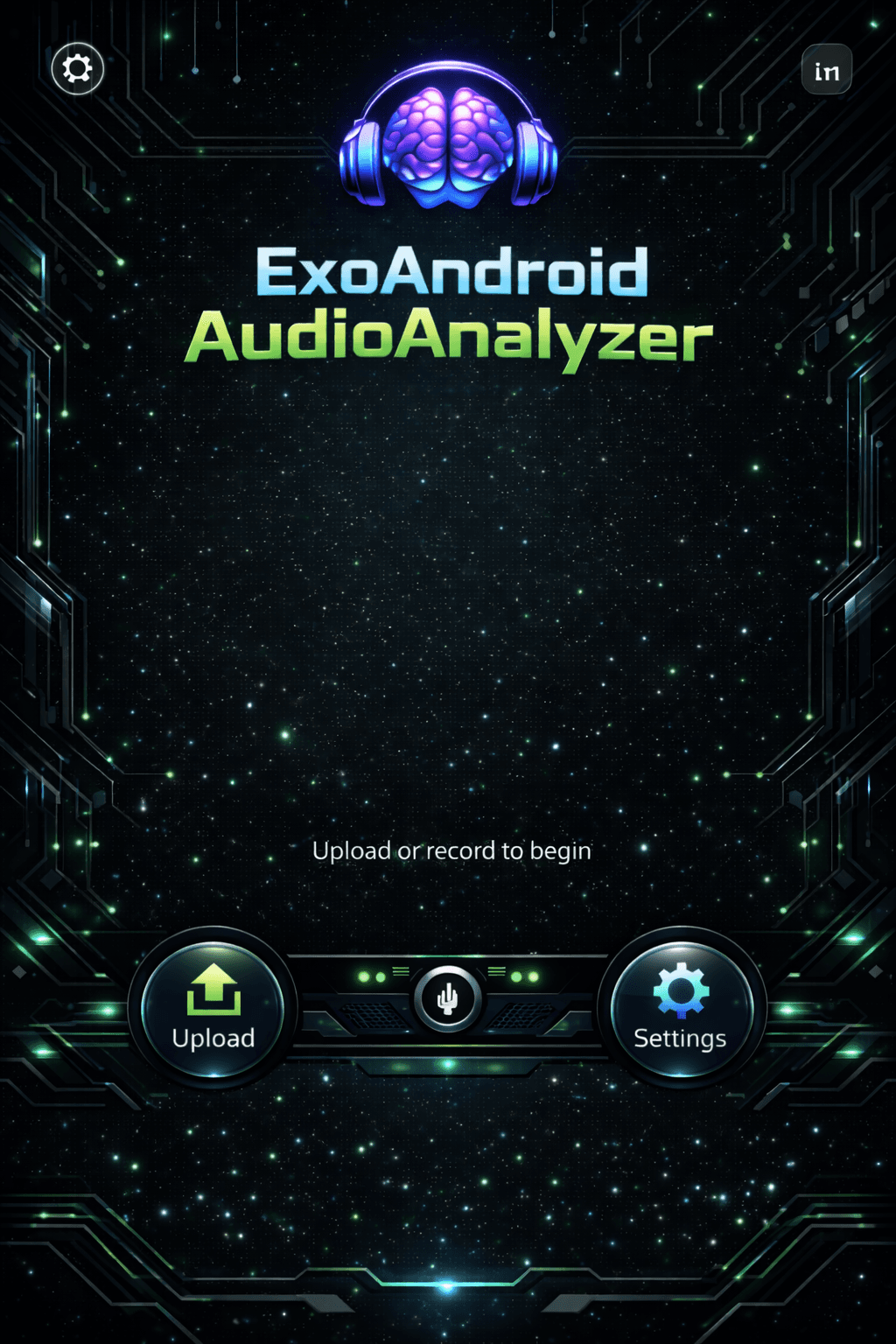
The app accepts an audio file, runs the analysis on the phone, and reports structured observations without sending the analysis through a desktop Python service.

ExoAndroidAudioAnalyzer interface preview
  • Analyzes audio files on the Android device.
  • Returns deterministic BPM and dominant-pitch observations.
  • Runs without a Python or cloud analysis backend.
  • Includes a direct APK download and SHA-256 checksum.

Install

Android installation

  1. Open this page on your Android phone.
  2. Download the APK and allow installs from your browser or file manager if Android asks.
  3. Open ExoAndroidAudioAnalyzer and choose an audio file.
  4. Run the analysis on-device and review the BPM and dominant-pitch observations.