The problem
Turning a phone recording into a directed visual piece requires choosing effects, shaping their response to sound, controlling when changes happen, and giving the opening and ending a deliberate shape without losing the underlying edit.
Creative technology / 2026
Android video instrument with a viewport-first workspace, audio-reactive effects, clip timing, producer tags, and MP4 export.
Turning a phone recording into a directed visual piece requires choosing effects, shaping their response to sound, controlling when changes happen, and giving the opening and ending a deliberate shape without losing the underlying edit.
Android interface, media-processing engine, and export workflow engineering.
An Android audiovisual instrument for letting sound and algorithms propose movement, then using selection, intensity, and clip timing to direct the finished video.
Statusactive
Evidencereleased
Record reviewed
ReleaseVersion 0.3.0-beta.53 / build 55
Implementation
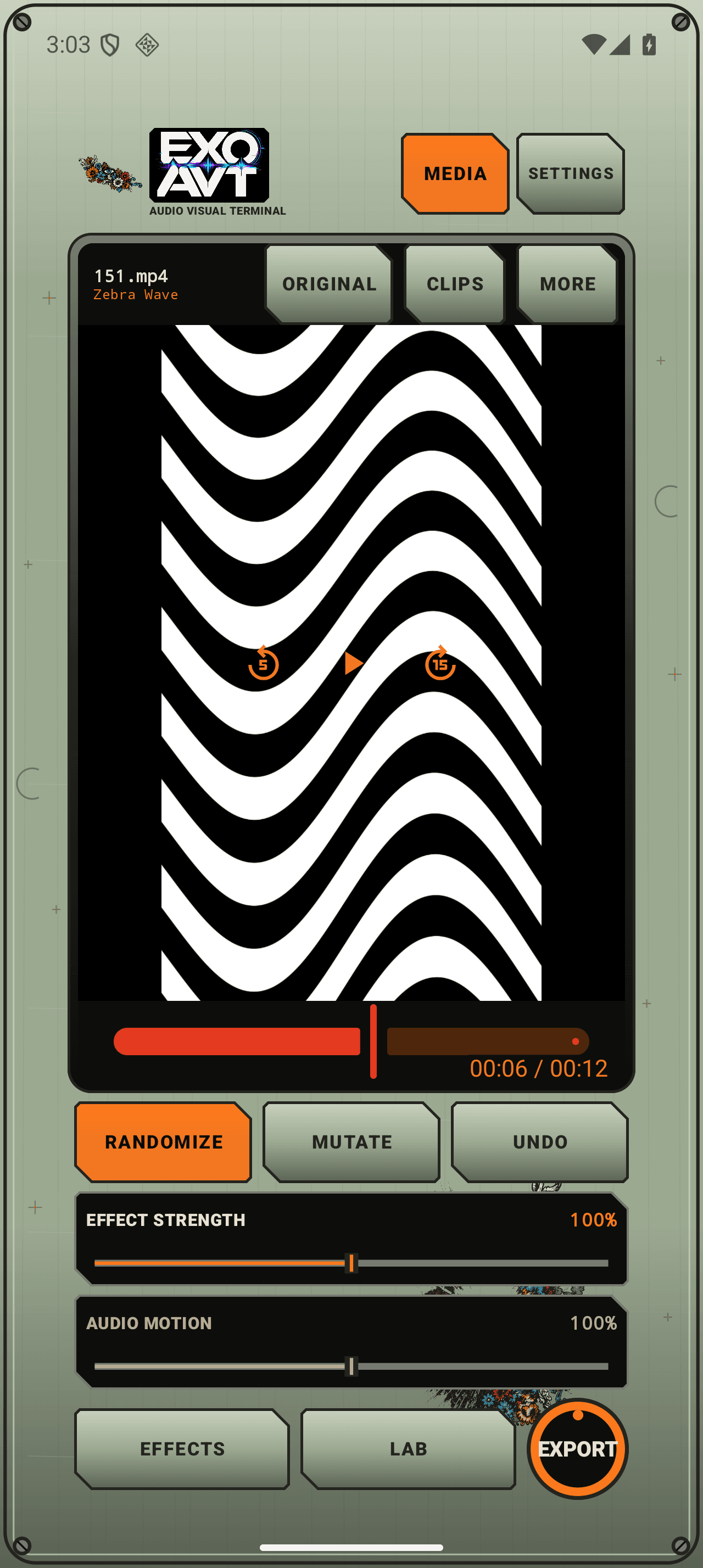
Import one video or photo, keep embedded audio or attach a separate recording, then choose a look or combine up to seven effects. The viewport-first workspace keeps Randomize, Mutate, Undo, and full-width Effect Strength and Audio Motion sliders on the main screen. Effects opens Library; Lab opens Controls. Clips is directly accessible beside Original and More. More contains Timing and Signature. Hearts beside Looks and Effect stack entries save favorites without applying them; Favorites only narrows the list. Tap again to unfavorite. Older saved recipes remain under Saved looks. Original compares against the source. Export opens output options before the separate Export MP4 action. The shared library contains 60 processors and 68 looks. Audition Auto Cut, protect sections, or choose cutaways over the master audio. Direct intros, transitions, and endings separately from the picture effect. Zebra Wave retains current-source detail within elastic black-and-white polarity bands. At 0% strength the bands stay straight and audio cannot bend them, while the source can still move. Afterwake slowly stretches the current image between a leading smear front and a following cleanup front. Both reuse media-time audio response, saved controls, and the existing effect pool. Listen, Clip here, then choose a look or Randomize until it feels right. Whole-video playback stays on unless selected-clip looping is requested. New projects default to 0.50-second Effect joins that ease through the current source, not simultaneous two-stack morphing; existing projects keep hard cuts until changed. Clips also opens Intro / outro for adjustable holds, collapse duration, and bookend zoom. Six independently mixable analog-video families add traveling interference, diagonal sync tears, thermal source ribbons, stepped plasma, finite frame holds, and barcode pulses. Imported footage is the starting point; separate component, warp, color, and source/procedural controls preserve direct control. Existing organisms remain, including REALITY TEAR's jolting monochrome space and CHROMA CULTURE's mirrored liquid membranes. REALITY TEAR moves from brief readable poses into sheet stretching, abrupt rolls, recoil, and settling; this remains a 2D treatment of the source. A structural timing layer wraps any active stack with opening tension, an audio-triggered lock, an automatic or manually armed closing collapse, and a brief white RECOMBINASE flash. It stays outside the effect pool, so Randomize still changes the look underneath. Timing contains Structure, Trigger sensitivity, Arm close here, and Flash RECOMBINASE; cues save on the media timeline. Use Effect Strength for treatment intensity and Audio Motion for sound-driven movement; input calibration stays separate. Split video into effect clips and add Min, Max, or custom points with Hold, Linear, or Smooth transitions. Manual, Audio, and Clip control ownership stays explicit. Save projects, reuse older recipes from Saved looks, and add an independent text or image producer signature with its own audio. Export opaque H.264/AAC MP4 at 1080 × 1920, 1920 × 1080, or custom dimensions. Centered fill preserves proportions and deliberately crops mismatched source edges; it does not stretch them.
A Kotlin and Jetpack Compose instrument uses Media3 decoding, GPU processing, and export. Existing timestamped analysis and a shared media-time evaluator drive structural timing in preview and export; no second analyzer or clock is introduced. A final GPU pass handles opening scale and closing shedding, followed by a cached text overlay for the brief tag. Silence uses a deterministic timed fallback. Editor controls, loading indicators, and progress remain outside the exported picture. The private beta is delivered as a versioned APK with a SHA-256 checksum. Automated checks and emulator evidence are separate from physical-phone appearance, HDR quality, sustained frame rate, and thermal acceptance; no phone-performance or compatibility guarantee is claimed.
